Administration
Interaction audit
Review who visited a page or used a link or button.
- Who can use it
- Users with management access.
- Where to find it
- Security and audit > Interaction audit.
Step by step
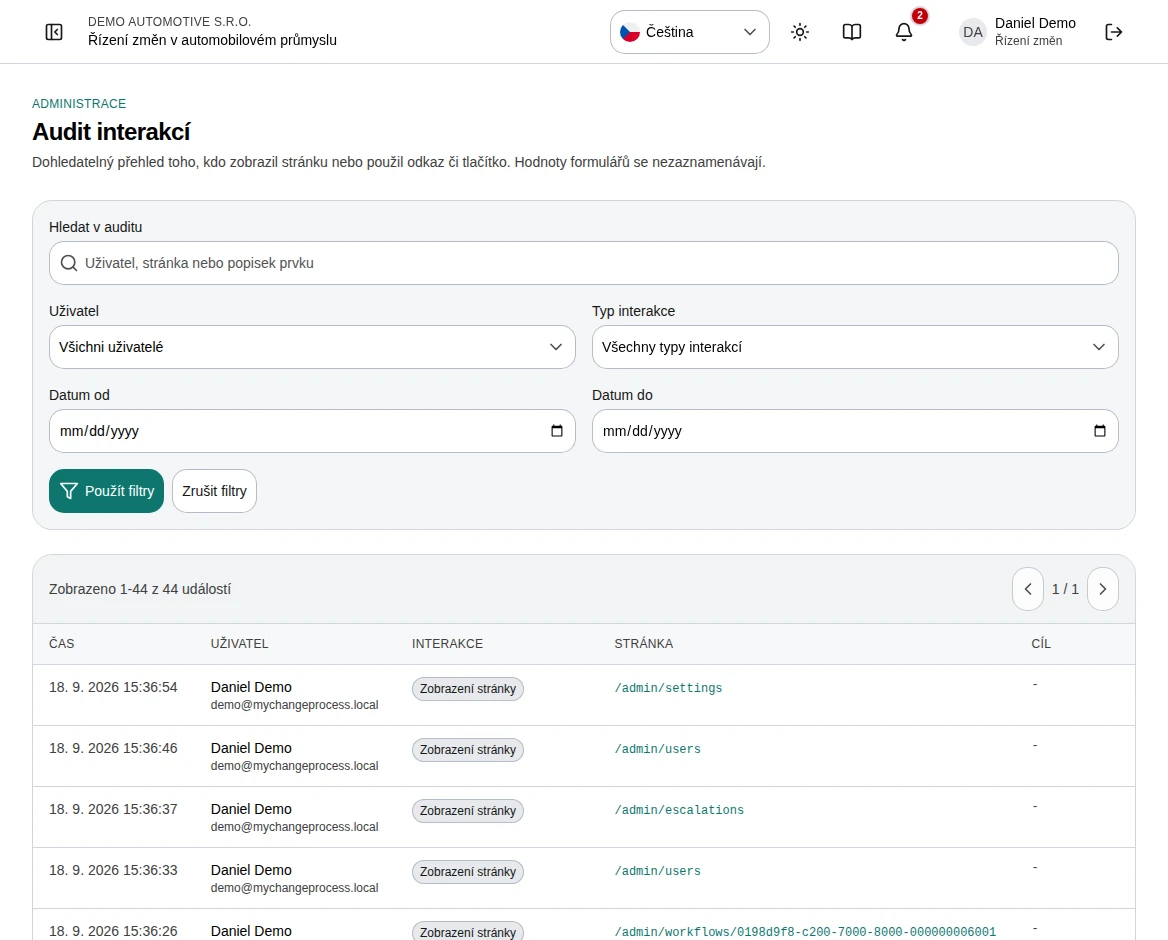
Open the audit and search by user, page, or control label.
Filter by user, interaction type, and date range.
Apply filters, then read the time, interaction, page, and target columns.
Use pagination for more events, or reset filters to widen the view.
For business decisions, open the case audit history or approval records separately.
 Enlarge screenshot
What to know
What is recorded
The interface lists page-view and click events. Form values are not recorded. Control labels and page paths provide navigation context.
What this does not establish
A click is not proof that the underlying operation succeeded. Check the case record for business events. This page is not a client-error or server-log viewer.