Administration
Roles and permissions
Understand built-in access levels and configure organization-specific roles.
- Who can use it
- Users with management access.
- Where to find it
- Security and audit > Roles and permissions.
Step by step
Select a role to inspect its description, users, and permissions.
Distinguish general read access from read-internal and write-internal permissions.
For an editable role, enable only the needed request, task, approval, and management operations. Wait for saving to finish.
Use Create role to define a name, description, and starting permissions for an organization-specific role. Delete role removes any role except SuperAdmin once no users are assigned to it. Deleted roles are removed permanently.
Assign the role to people in Users and departments. Use Restore defaults only when the default permission set is intended.
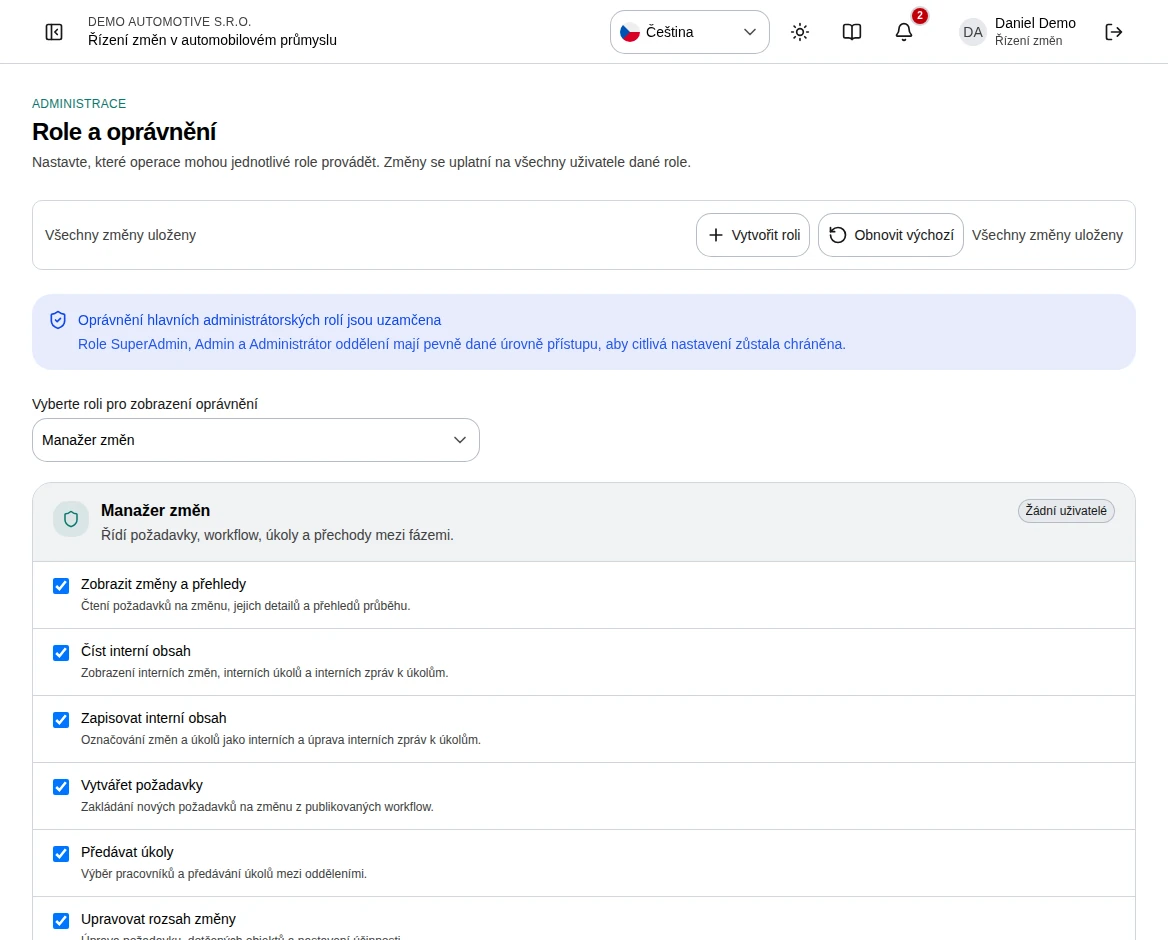 Enlarge screenshot
What to know
Administrator roles
SuperAdmin has full control, including company settings and workflows. Admin manages users, departments, notification rules, roles, and interaction audit but cannot manage company settings or workflows. Department Admin starts read-only. Only SuperAdmin is locked; Admin and Department Admin permissions can be adjusted like any other role. Settings and workflows stay SuperAdmin-only regardless of permissions.
Process roles
Change manager, Approver, Contributor, Viewer, and custom roles describe process responsibilities. Inspect the actual permission list because editable roles can be changed for your organization.
Internal content
Reading internal content and writing it are separate permissions. They apply to internal requests, tasks, and related restricted data; merely knowing a link does not grant access.