Administration
Build a workflow: GATEs, tasks, and fields
Configure the task graph, departmental ownership, translations, and required answers.
- Who can use it
- SuperAdmin editing a draft workflow.
- Where to find it
- Workflow templates > a template.
Step by step
Set the workflow name, description, and whether it is the default for new changes.
Choose automatic phases or enable named GATEs. For named GATEs, add names, descriptions, order, and optional default departments.
Add tasks with titles, instructions, and owning departments. Assign every task to a GATE when named GATEs are enabled.
Select predecessor tasks to express dependencies. A task can have several predecessors; self-dependencies and cycles are rejected.
Add response fields with labels, types, help text, and required flags. Selection fields need choices.
Where translations are enabled, switch content language and translate the workflow, tasks, and field text. Save the valid draft and publish when ready.
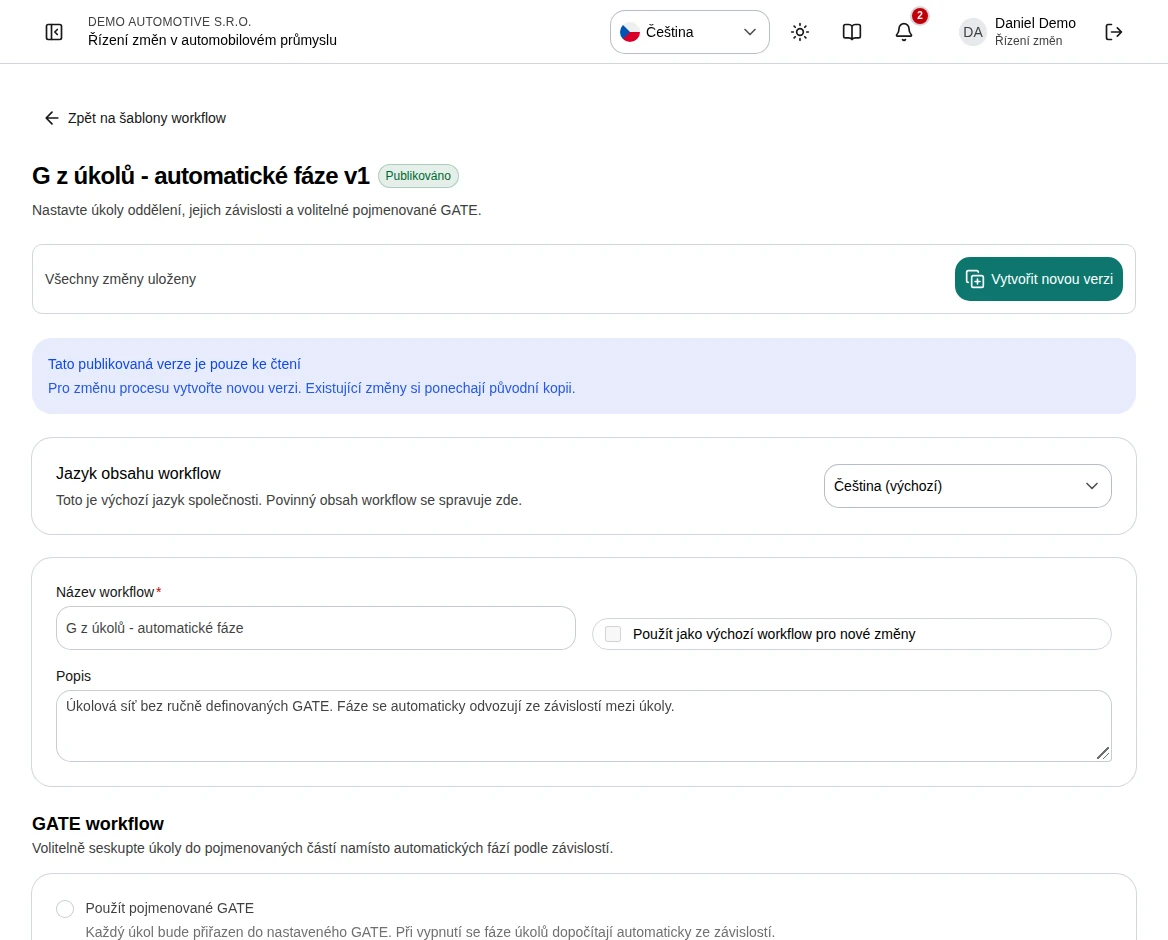 Enlarge screenshot
What to know
Response field types
Short text, long text, yes/no, date, number, currency, selection, and URL let you collect structured answers. Required fields form part of task-completion checks.
Grouping versus dependencies
A GATE groups tasks for presentation. Predecessor links define dependencies. Without named GATEs, phases are calculated from those links and independent tasks appear separately.
Translations and editing
Maintain required content in the company source language. Missing translations fall back to source content. Removing a task also removes its links; removing a GATE removes its tasks and links, so review confirmations carefully.