Administration
Company branding and languages
Set company identity, colors, source language, and available workflow translations.
- Who can use it
- SuperAdmin.
- Where to find it
- Administration > Company settings.
Step by step
Set the company name and app name shown in navigation.
Upload or replace a PNG, JPEG, or WebP logo of up to 512 KB. Remove it if no logo should be shown.
Choose primary and neutral colors and inspect the preview. Restore default colors when needed.
Select the default interface and source language, then choose available content languages.
Enable translated workflow content if required and wait for valid changes to save.
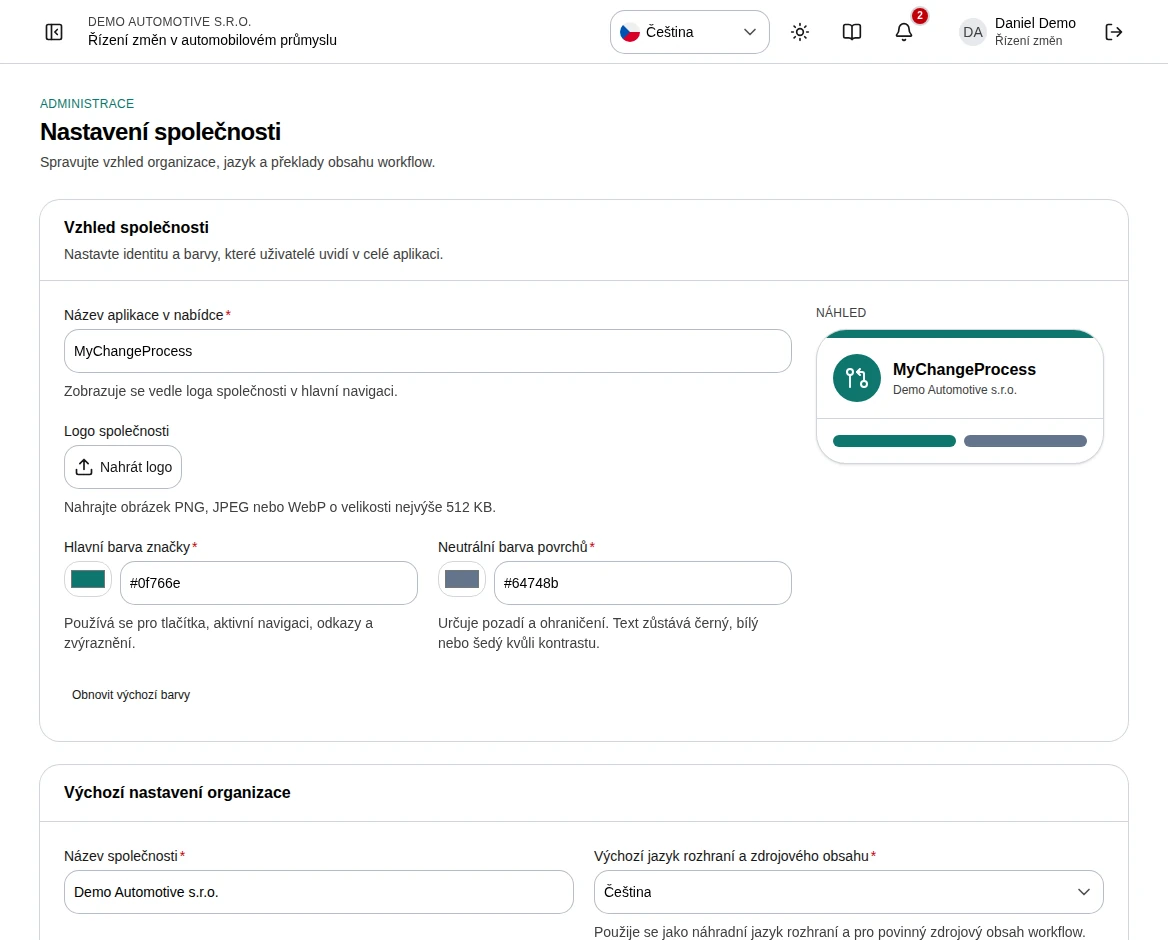 Enlarge screenshot
What to know
Interface versus content
Czech and English are supported interface languages. Additional selected languages are for workflow names, instructions, field labels, help text, and choices. The company default language cannot be removed from the content languages.
Fallback
Required workflow content is maintained in the source language. Empty translated values fall back to it. Enabling a language does not automatically translate existing text.