Managing changes
Tasks, answers, and dependencies
Complete departmental work with required responses and a clear status.
- Who can use it
- Users with task-update or task-management permission; department and stage restrictions apply.
- Where to find it
- Request > task card or Implementation work.
Step by step
Filter by status, department, or assignee, then open a task. Read its instructions, predecessors, successors, and due date.
Fill in the configured response fields. Types include text, number, currency, date, yes/no, selection, and URL.
Wait for responses to save automatically before changing status. The required-answer counter helps you find incomplete fields.
Set the appropriate status: Open, In progress, Blocked, Done, or Not applicable. Not applicable requires a reason.
If you manage tasks, review ownership, assignment, due date, and internal settings. Add an implementation task when extra work is needed.
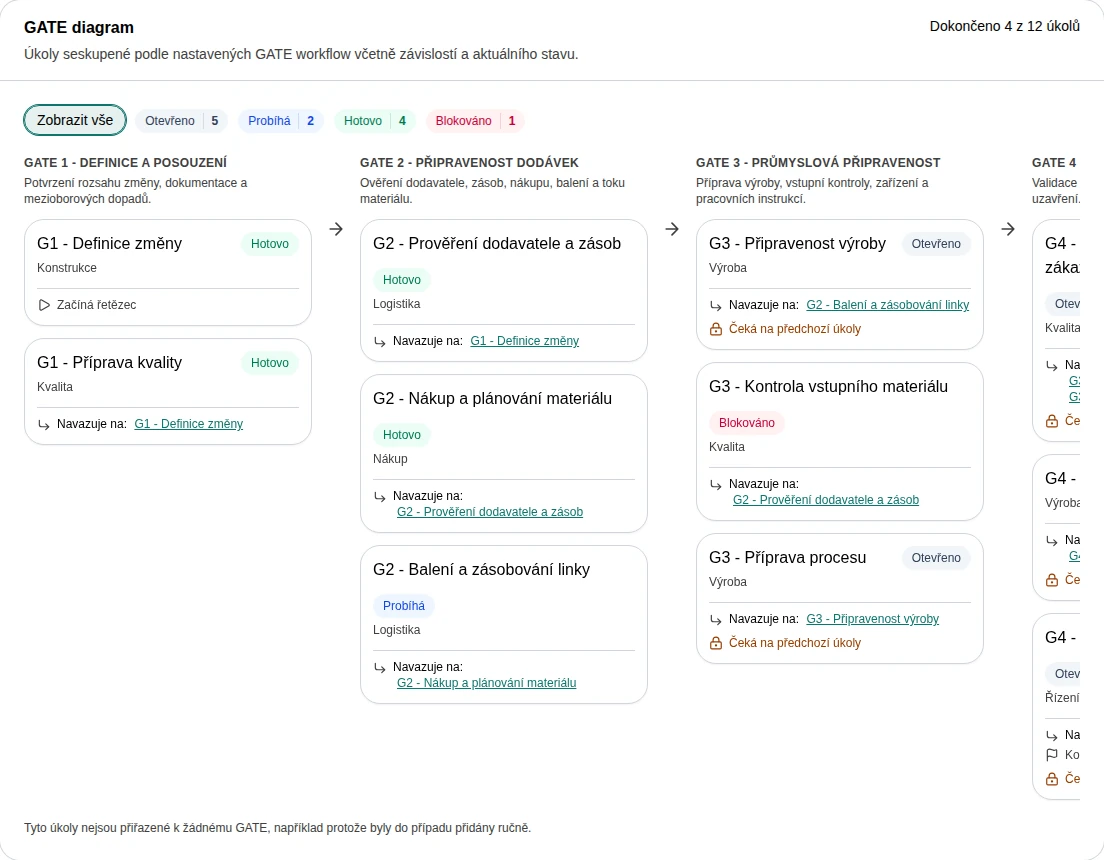 Enlarge screenshot
What to know
Completion rules
Required data and unfinished predecessors can prevent completion. Check the task instructions and messages rather than forcing a task to Done. Independent tasks have no predecessor requirement.
Private and internal information
The personal task deadline is visible only to the change owner, including its chart warning. Internal tasks and internal messages require internal-content permissions. This is separate from ordinary task assignment.
Saving and navigation
Responses and editable task details use automatic saving. A failed save needs retry or correction. The unsaved-changes dialog lets you stay, save, or discard before leaving.