Your workspace
Profile and preferences
Update contact details and choose which workflow notifications you receive.
- Who can use it
- Signed-in users editing their own profile.
- Where to find it
- Your avatar or name in the header.
Step by step
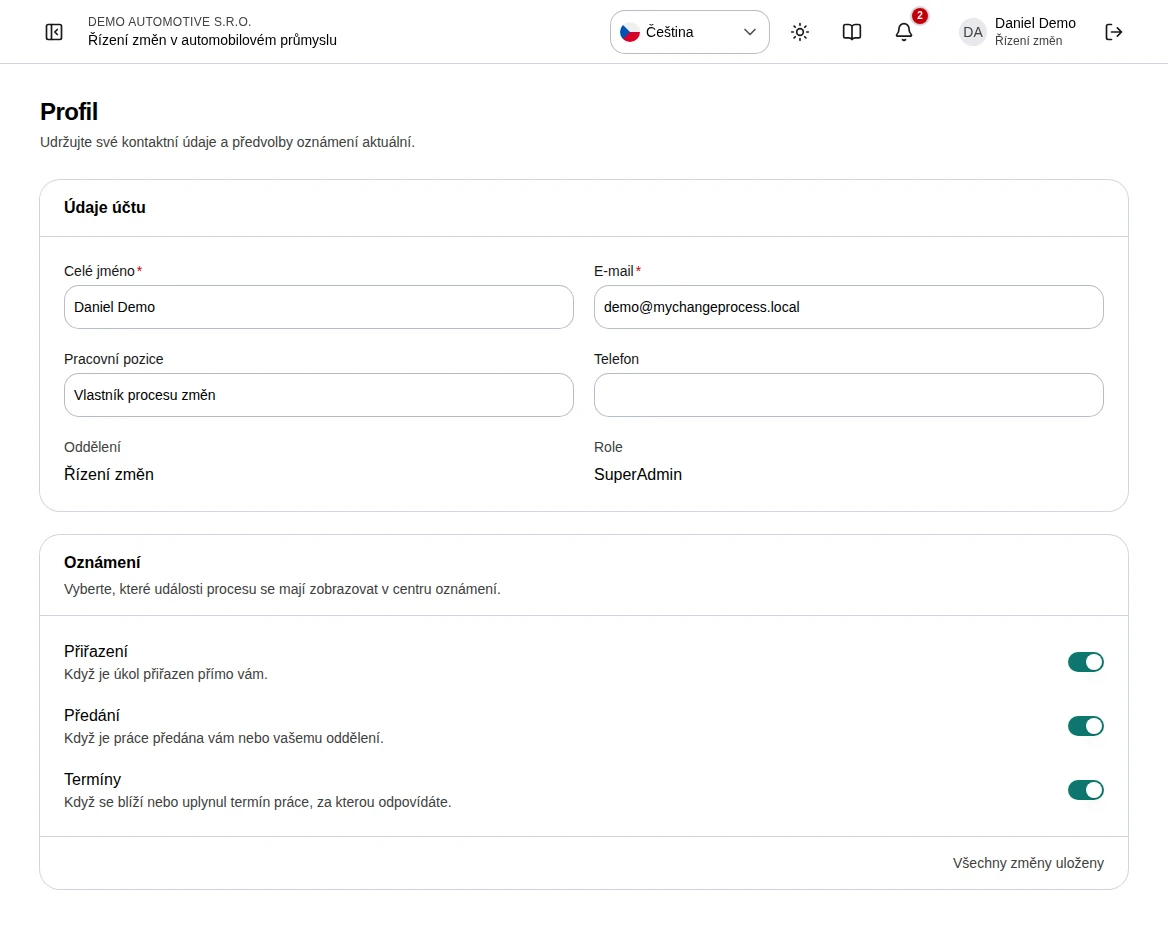
Open Profile and review your full name, email, job title, and phone.
Edit contact details and wait for the automatic save confirmation.
Turn assignment, handover, and deadline notifications on or off as needed.
Check your department and role. Ask an administrator if these need changing.
Use the header language switcher for interface and available content languages.
 Enlarge screenshot
What to know
Account boundaries
Profile shows your role and department but does not let you grant yourself access. Administrators manage these assignments in Users and departments.
Saving
Invalid values are not saved. Correct validation errors and retry failed saves. A navigation warning protects unsaved edits.